
Confused by "MagSafe compatible1" listings? You worry about buying an accessory that doesn't work right. This guide explains everything you need to know to make a smart purchase.
"MagSafe compatible1" means an accessory has magnets that align with an iPhone's MagSafe system. This allows it to attach securely and support magnetic wireless charging. However, it doesn't guarantee official Apple performance2 or certification, which is an important difference for charging speed3 and reliability.
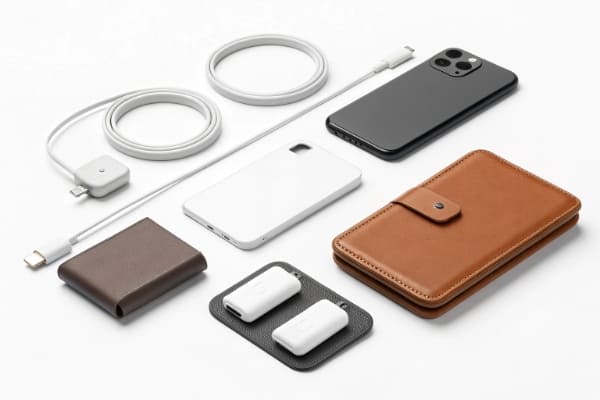
I get questions about MagSafe all the time from my clients. It's a great technology, but the marketing terms can be tricky. You see "MagSafe Compatible," "Magnetic," and "Made for MagSafe4," and it's not always clear what you're getting. I want to break down the most common questions I hear so you can source or buy these products with confidence. Let's dive into the details you really need.
What Does MagSafe Compatible Mean on Amazon or Alibaba Listings?
Buying online and see "MagSafe compatible1"? You might wonder if it's the real deal. This term can be misleading, so it pays to know the difference before you click "buy."
On platforms like Amazon or Alibaba, "MagSafe compatible1" usually means the product has magnets for attachment. It does not mean it is officially certified by Apple. This affects charging speed3, connection strength, and overall quality. Always check for "Made for MagSafe4" for guaranteed performance.
When I source products for my clients, this is one of the first things we clarify. The distinction between "compatible" and "certified" is huge. "Made for MagSafe4" (MFi) products contain official Apple technology. This means they communicate with your iPhone to deliver up to 15W of fast wireless charging safely. "MagSafe compatible1" products lack this official chip. They are essentially standard Qi wireless chargers5 with magnets added. They will attach to your phone, but they will only charge an iPhone at the slower 7.5W speed.
As a buyer, you need to decide what matters more: price or performance. The uncertified accessories are much cheaper to produce and sell. They are fine for things like simple stands or wallets where charging speed3 is not a factor. But for car mounts or primary chargers, the weaker magnets and slower charging can be a real problem.
Here’s a simple breakdown:
| Feature | MagSafe Compatible (Uncertified) | Made for MagSafe4 (Certified) |
|---|---|---|
| Max iPhone Charging | 7.5W | 15W |
| Magnetic Strength | Varies, often weaker | Strong, consistent |
| Safety Features | Basic, not guaranteed | Advanced (overheating protection) |
| Cost | Lower | Higher |
| Best For | Casual use, static stands | Car mounts, fast charging |
Can Android Phones Use MagSafe Compatible Accessories?
Have an Android phone but love the convenience of magnetic accessories? You might feel left out. But there's a simple way for you to join the magnetic accessory ecosystem.
Yes, Android phones can use MagSafe compatible1 accessories, but not natively. You need to use a special case with a built-in magnetic ring6 or attach a magnetic ring6 sticker to your phone or existing case. This enables magnetic attachment7 but not Apple's 15W fast charging.
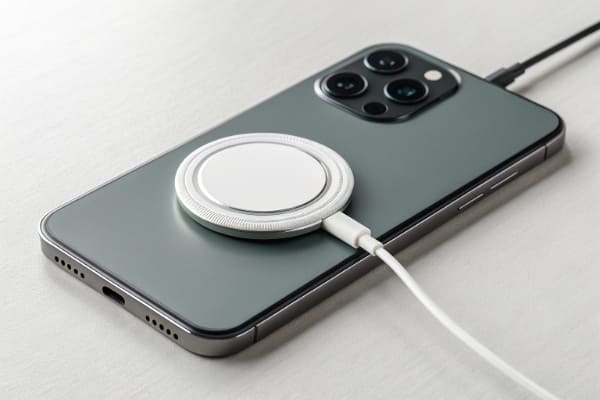
I've helped many clients develop product lines that serve both iPhone and Android users. The solution is the magnetic ring6. These rings are precisely designed to mimic the location and size of the magnet array in an iPhone. When you add one to your Android phone, you give it the ability to connect to the entire world of MagSafe compatible1 accessories. This includes wallets, grips, car mounts, and wireless chargers.
It's important to understand the limitations, though. While the magnetic attachment7 works perfectly, the charging part is different. MagSafe is more than just magnets; it's a charging standard8. An Android phone with a magnetic ring6 will charge on a MagSafe charger, but it will do so using the universal Qi charging standard8. The speed will depend on what your phone and the charger can handle, typically between 5W and 10W. You won't get the 15W fast charging that an iPhone gets from a certified MagSafe charger. It’s a great solution for convenience, not for breaking charging speed3 records.
Do MagSafe Compatible Chargers Support Fast Charging?
You see a MagSafe charger promising fast speeds at a low price. It seems too good to be true. The truth is, "fast charging" has a very specific meaning in the MagSafe world.
Most "MagSafe compatible1" chargers do not support Apple's 15W fast charging. They are typically limited to 7.5W for iPhones. Only official "Made for MagSafe4" certified chargers can deliver the full 15W speed, because they contain a special communication chip required by Apple.
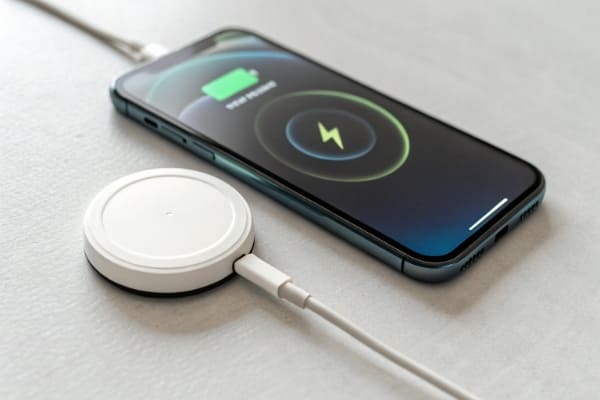
This is a critical detail that often gets lost in product descriptions. The term "fast charging" is used very loosely by marketers. For an iPhone 12 or newer, the standard Qi wireless charging speed3 is capped at 7.5W. To unlock the faster 15W speed, the phone needs to recognize an official MagSafe charger. That recognition happens through a proprietary chip inside the charger.
Uncertified "MagSafe compatible1" chargers do not have this chip. They are just Qi chargers with magnets. So, when you snap one onto your iPhone, the phone sees it as a standard Qi charger and limits the power to 7.5W. I always tell my clients to be very clear in their marketing. If a charger is not certified, they should advertise it as a "magnetic wireless charger" and specify the 7.5W speed for iPhones. This manages customer expectations and prevents disappointment. If you truly need the fastest possible wireless charge, you have to invest in a certified "Made for MagSafe4" product.
What Power Adapter Is Needed for MagSafe Charging?
You just bought a new MagSafe charger, but it came without a power adapter. Now you're wondering if your old phone charger will work. Using the right adapter is key to getting the performance you paid for.
To get the full 15W fast charging speed3 from an official MagSafe charger, you need a USB-C power adapter9 that is 20 watts (W) or higher. Using a less powerful adapter, like an 18W or 12W one, will result in slower charging speed3s.
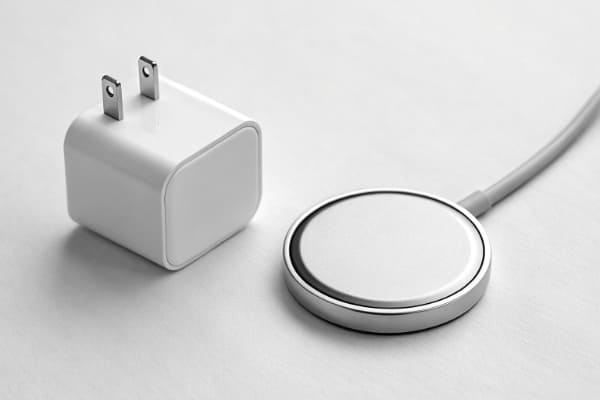
Think of it like a water pipe. The MagSafe charger is capable of delivering a lot of power (15W), but it can only deliver what it receives from the wall. If the power adapter can only provide 12W, then the charger can't magically create more power. Your phone will charge, but it will be noticeably slower.
When I work on product bundles for clients, we always discuss including a 20W adapter. It ensures the customer has a great experience right out of the box. If you're buying these items separately, check the specs carefully. Look for a USB-C Power Delivery (PD) adapter with an output of at least 20W. Anything less, and you are leaving performance on the table. For uncertified "MagSafe compatible1" chargers that max out at 7.5W, a 20W adapter is overkill. A simple 10W or 12W USB-A adapter is usually enough, but using a 20W USB-C adapter won't hurt. It just won't make the charger any faster.
Are Cheap MagSafe Compatible Accessories Safe?
You've found a magnetic car mount or charger for a rock-bottom price. It's tempting, but you're worried about safety. Is it safe to trust your expensive phone with a cheap accessory?
Cheap, uncertified MagSafe compatible1 accessories can be unsafe. They may have weak magnets that could drop your phone, and chargers might lack proper overheating protection. This could potentially damage your phone's battery over time. Certified products undergo rigorous safety testing10.
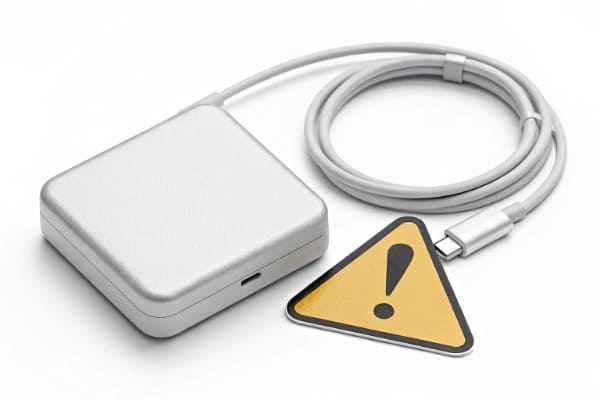
In my role overseeing production and quality control, safety is my number one priority. With magnetic accessories, there are two main risks. The first is physical: weak magnets. A cheap car mount might not hold your phone securely over a bumpy road. I've heard stories of phones falling and screens cracking. The second risk is electrical, specifically with chargers.
Official MagSafe chargers have sophisticated circuitry to manage heat. If the charger or phone gets too warm, it automatically reduces the charging speed3 to cool down. Many cheap, uncertified chargers lack this advanced thermal management11. They can get very hot, which is not only a safety concern but is also very bad for your phone's long-term battery health. When we source these products, we insist on inspecting the internal components and reviewing safety certifications like CE, FCC, and RoHS. While a low price is attractive, it should never come at the expense of safety and reliability. I always advise investing a little more for a product from a reputable brand.
Do MagSafe Cases Affect Charging Speed?
You want to protect your phone with a case, but you don't want to slow down your MagSafe charging. Can a case get in the way? The answer is a definite yes.
Yes, cases significantly affect MagSafe performance. A standard case without magnets will weaken the connection, slowing down or preventing charging. A "MagSafe compatible1" case has its own built-in magnet array that strengthens the connection, ensuring proper alignment and optimal charging speed3.
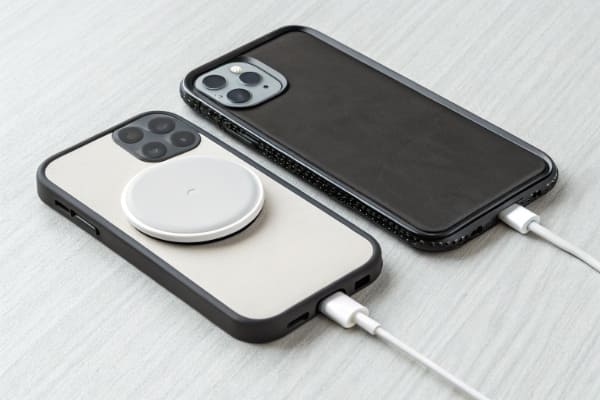
The MagSafe system relies on a precise and strong magnetic connection. A thick layer of plastic or leather from a regular case creates a gap that weakens this connection. The phone might not attach securely to a mount, and a charger might not align correctly, leading to very slow and inefficient charging. I once tested this myself; a standard rugged case I was using completely blocked the MagSafe charger from working.
That's why MagSafe-specific cases were created. These cases have their own set of magnets embedded inside, in the exact same pattern as the phone's magnets. When you put the case on, the magnets in the case work with the magnets in the phone, creating a strong magnetic field that passes through the case material. This ensures any MagSafe accessory you use connects just as strongly as it would to a bare iPhone. When choosing a case, make sure it explicitly says "MagSafe Compatible." This guarantees it won't interfere with your accessories and will give you that satisfying "snap" every time.
Conclusion
Understanding "MagSafe compatible1" helps you choose the right accessories. This ensures you get the safety, charging speed3, and secure connection you expect for all your devices.
Understanding this term is crucial for making informed accessory purchases. ↩
Discover why official Apple performance matters for your device's charging. ↩
Learn about the differences in charging speeds to choose the right product for your needs. ↩
Explore the benefits of certified accessories for optimal performance. ↩
Gain insights into Qi technology and its compatibility with MagSafe. ↩
Find out how to use MagSafe accessories with Android devices effectively. ↩
Learn about the mechanics behind magnetic connections for better usage. ↩
Understand the technical aspects of MagSafe charging for better usage. ↩
Ensure you have the right adapter for maximum charging efficiency. ↩
Learn about the rigorous safety standards that protect your devices. ↩
Discover why proper thermal management is essential for device safety. ↩