
Tired of fumbling with charging cables or slow, misaligned wireless chargers? This daily frustration damages ports and wastes time, making you feel tethered to outdated tech.
Yes, MagSafe compatible1 is worth it for its convenience, secure magnetic attachment, and faster 15W wireless charging2. It also creates a versatile ecosystem of accessories like wallets and mounts, simplifying your daily tech use and protecting your phone's charging port3 from wear and tear.
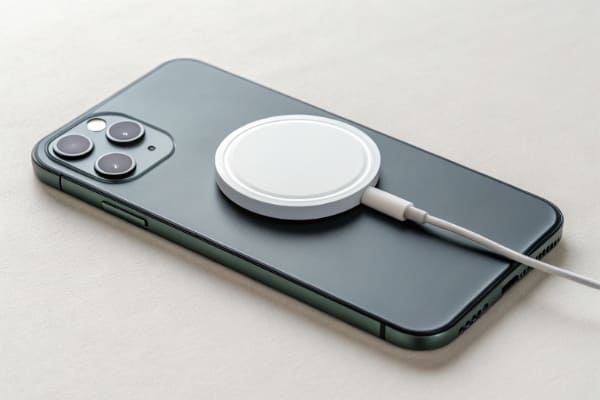
That satisfying "click" of a MagSafe accessory is just the beginning. But before you or your customers jump into this ecosystem, it's important to understand what makes this technology tick. It helps to know if it's the right fit for your promotional product lineup or personal use. Let's break down the real-world benefits, the things to watch out for, and how to make a smart buying decision.
Why Do People Use MagSafe Charging Accessories?
Are you constantly dealing with worn-out charging port3s and tangled cables? It’s a small hassle that adds up over time, leading to costly repairs and a cluttered desk.
People use MagSafe for its incredible convenience. The magnetic alignment ensures perfect placement for efficient charging every time. It also protects the phone's charging port3 from wear and tear and enables an ecosystem of accessories like wallets, mounts, and power bank4s that easily snap on and off.
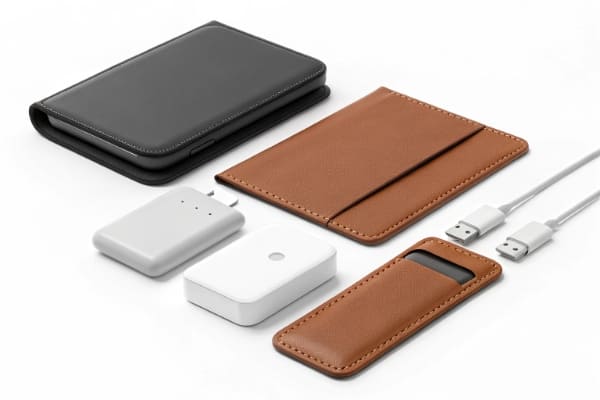
When I first started using MagSafe, I thought it was just a neat trick. But after a few weeks, I realized its value goes much deeper, especially from a product design and durability standpoint. The appeal boils down to three core benefits that solve common frustrations.
1. Effortless Convenience
The main reason people love MagSafe is that it just works. You no longer have to find the "sweet spot" on a wireless charging5 pad. The magnets guide the charger into the perfect position automatically. This means you can place your phone on the charger in the dark and know for sure that you'll wake up to a full battery. It removes the guesswork and a common point of failure with older wireless tech.
2. Port and Cable Preservation
As someone who deals with product lifecycle and quality, this is a big one. The charging port3 is one of the most common hardware failure points on a smartphone. Constant plugging and unplugging of a cable causes physical stress that wears it out over time. MagSafe eliminates this entirely. By removing the physical connection, you significantly extend the life of the device's charging port3, which is a huge long-term benefit.
3. A Modular Accessory Ecosystem
MagSafe isn't just for charging. It turns the back of the phone into a universal docking point for a whole range of accessories.
| Accessory Type | Traditional Method | MagSafe Method |
|---|---|---|
| Car Mount | Clumsy clamps or sticky pads | Snaps on instantly with one hand |
| Wallet | Separate bulky item in pocket | Snaps securely to the back of the phone |
| Power Bank | Separate device connected by a cable | Snaps on for cable-free charging on the go |
| Desk Stand | A separate stand for the phone | A charging stand6 that holds the phone at a perfect angle |
This modularity transforms the phone into a more versatile tool, and for businesses, it opens up a huge market for branded accessories that people will use every single day.
How MagSafe Compatible Improves Charging Experience?
Does your standard wireless charger feel slow and unreliable? Waking up to a half-charged phone because it slipped off the pad overnight is incredibly frustrating and can ruin your morning.
MagSafe improves charging by using magnets for perfect alignment, which is essential for efficiency. This allows it to deliver a consistent and faster wireless charge of up to 15W, often double the speed of standard Qi chargers7. The secure connection also means you can use your phone while it charges.
The improvement MagSafe brings to wireless charging5 isn't just a small step; it's a major leap forward. It addresses the two biggest complaints people have always had about wireless charging5: speed and reliability. From my experience testing hundreds of charging accessories, the difference is night and day.
Perfect Alignment Equals Maximum Efficiency
Wireless charging works by transferring energy through two coils—one in the charger and one in the phone. For this to work well, the coils must be perfectly aligned. Even a slight shift can drastically reduce charging speed8 or stop it altogether. This is the problem with old flat-pad chargers. MagSafe solves this with its ring of magnets, which forces the coils into perfect alignment every single time. This guarantees you're getting the most efficient energy transfer possible.
A Genuine Speed Boost
With that perfect alignment, MagSafe can safely push more power.
| Charger Type | Typical Max Speed (for iPhone) | Key Requirement |
|---|---|---|
| Standard Qi Charger | 7.5W | Good placement on the pad |
| Official MagSafe Charger | 15W | 20W+ Power Adapter |
| Wired Charging (USB-C) | 20W+ | 20W+ Power Adapter |
As you can see, MagSafe offers double the speed of most standard wireless chargers. While it's still not as fast as plugging in a cable, it's a significant improvement that makes wireless charging5 a much more practical option for daily use, not just for overnight charging.
Use Your Phone While It Charges
Another big advantage is usability. With a traditional flat wireless charger, you can't really use your phone. If you pick it up, it stops charging. Because a MagSafe charger attaches so securely, you can pick up your phone, answer a call, or scroll through social media without interrupting the charging process. This makes it feel much more like using a cabled charger but without the cable getting in the way.
What to Look for When Buying MagSafe Accessories?
Worried about buying a cheap MagSafe accessory9 that doesn't work or even damages your phone? With so many options out there, picking a bad one can waste money and be a safety risk.
When buying MagSafe accessories10, check for strong magnetic connection, proper certification (like Apple's MFi or the new Qi2 standard), and compatibility with your device and case. Also, check the power output for chargers and make sure the materials are durable. Customer reviews are a great resource.
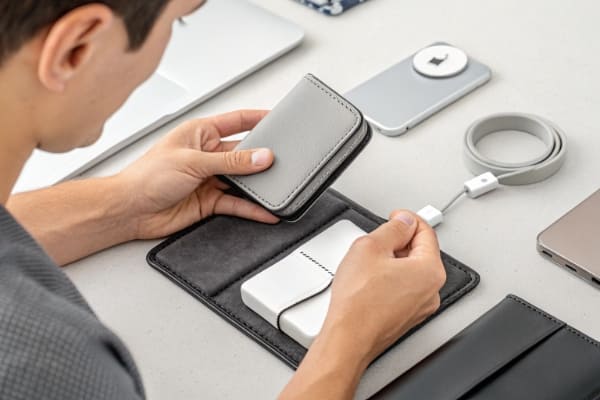
As a sourcing professional, I vet products for a living. The market is flooded with accessories labeled "MagSafe," but not all are created equal. We see a lot of variation in quality, and knowing what to look for is key to avoiding disappointment. Whether you're buying for yourself or sourcing for your brand, here's a simple checklist.
Buyer's Checklist for MagSafe Accessories:
- Magnetic Strength: This is non-negotiable. The accessory should snap on with a confident "click" and stay put. If it feels weak or slides around easily, it will fail in real-world use. A good test is to hold the phone by the accessory (like a power bank4) and give it a gentle shake.
- Certification (MFi or Qi2):
- MFi (Made for iPhone): This is Apple's official certification. It guarantees the product meets Apple's performance and safety standards, including the full 15W charging speed8. It's the gold standard but usually costs more.
- Qi2: This is the new universal standard that incorporates the magnetic profile of MagSafe. A Qi2-certified product will offer the same 15W fast charging and magnetic alignment for compatible devices (including newer iPhones and future Androids). This is the new benchmark to look for.
- "MagSafe Compatible": If a product lacks MFi or Qi2 certification, it will likely only charge at the slower 7.5W speed, even if it has magnets.
- Case Compatibility: A standard phone case is too thick and will block or weaken the magnetic connection. You must use a "MagSafe case" that has its own ring of magnets built in to pass the connection through to the phone.
- Build Quality and Materials: Look for durable materials that feel good to the touch. For promotional products11, this is critical as the accessory represents your brand. Cheap plastic and poor finishes reflect badly on you.
Charging Speed and Power Requirements Explained?
Confused by all the talk about 15W, 7.5W, and 20W power adapters? Buying the wrong combination means you won't get the fast charging speed8s you paid for, which is a common frustration.
To get the full 15W MagSafe charging speed8, you need two things: an official or MFi-certified MagSafe charger and a USB-C power adapter that is 20W or higher. Using a lower-wattage adapter or a non-certified charger will limit your charging speed8, usually to 7.5W.
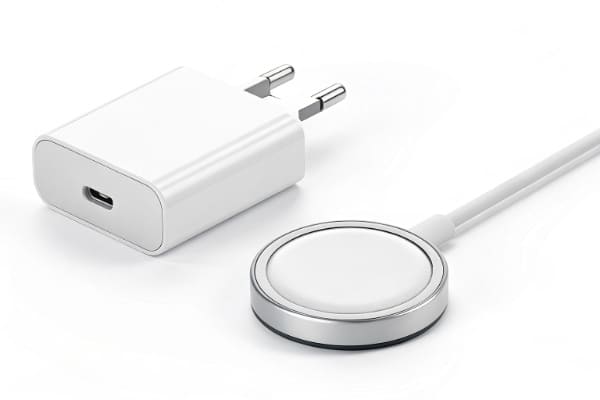
This is probably the most common point of confusion I see with our clients. Many people buy a MagSafe charger, plug it into their old USB-A power brick, and then wonder why it's charging so slowly. The power delivery system has a few key components, and all of them need to work together to deliver that top speed.
Let's break it down simply. Think of it as a chain. The strength of the chain is determined by its weakest link.
The Power Chain for 15W MagSafe Charging
- The Phone: Must be an iPhone 12 or newer.
- The Charger: Must be an Apple MagSafe charger or a third-party charger with MFi (Made for iPhone) or Qi2 certification. A charger that is just "MagSafe compatible1" will almost always be limited to 7.5W.
- The Power Adapter (The Brick): Must be a USB-C power adapter rated at 20W or higher. This is crucial and is usually sold separately.
Here is what happens when you mix and match different components:
| MagSafe Charger | Power Adapter | Resulting Charging Speed (Approx.) |
|---|---|---|
| MFi / Qi2 Certified | 20W+ USB-C | 15W (Fastest) |
| MFi / Qi2 Certified | 12W USB-C | ~10W (Slower) |
| MFi / Qi2 Certified | 5W USB-A (Old iPhone brick) | ~5W (Very Slow) |
| "Compatible" (Non-Certified) | 20W+ USB-C | 7.5W (Standard Qi Speed) |
The key takeaway is this: to unlock the main benefit of MagSafe's speed, you must invest in both a certified charger and a 20W+ power adapter. When sourcing these for promotional gifts, we always advise clients to bundle the two or at least be very clear in their marketing that the adapter is required for full performance.
Best Use Cases for MagSafe Compatible Products?
Are you wondering if MagSafe is just a gimmick or if it has real-world, practical uses? It's easy to dismiss new technology, but you could be missing out on major convenience gains.
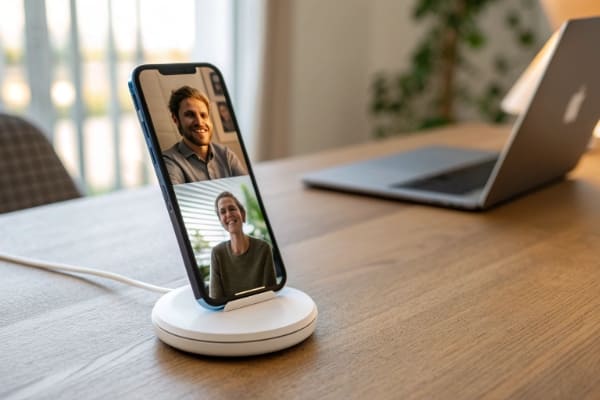
The best use cases for MagSafe are situations where convenience and a secure connection are key. This includes car mounts for stable navigation, desktop stands for hands-free video calls, and portable power bank4s that snap on for charging on the go without any cables.
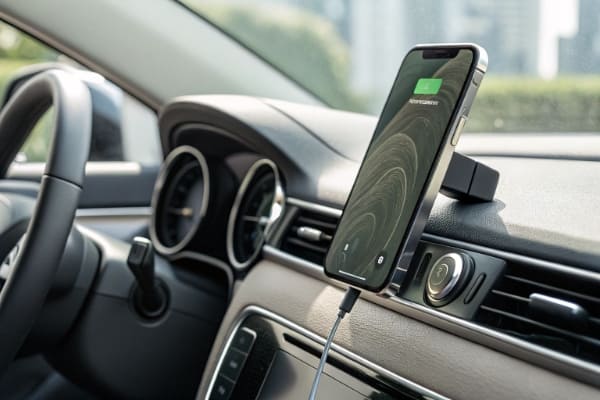
From a practical standpoint, MagSafe shines brightest when it removes a point of friction from your daily routine. After seeing how thousands of our clients use these products, a few clear winning scenarios have emerged. These are also fantastic opportunities for branded merchandise because they are used in highly visible, everyday situations.
In the Car
This is the killer app for MagSafe. Traditional car mounts are often clumsy, requiring two hands to pry open a clamp. With a MagSafe car mount, you just get in the car and snap your phone onto the mount. It’s a secure, one-handed motion. It’s perfect for GPS, and the phone stays put even on bumpy roads. For any brand targeting commuters, a logo on a MagSafe car mount gets seen every single day.
On the Desk
A MagSafe charging stand6 is a game-changer for the office or home office. It holds your phone at the perfect viewing angle for notifications, video calls, or watching content, all while charging it. It keeps your desk clean and your phone powered up and ready to go. It’s a premium corporate gift that people will actually use and appreciate.
On the Go
This is where the modular ecosystem really pays off.
- MagSafe Power Bank: No more carrying a power bank4 and a cable. Just snap the battery pack onto the back of your phone for a quick boost. It’s compact and efficient.
- MagSafe Wallet: It securely holds 2-3 essential cards. It slims down your pockets and ensures you always have your ID and credit card with your phone.
These use cases demonstrate that MagSafe isn't just about charging; it's about making your interaction with your most-used device simpler and more efficient.
Common Buying Mistakes to Avoid?
Are you ready to buy a MagSafe accessory but afraid of making a costly mistake? Choosing the wrong product can lead to slow charging, a weak connection, or even safety issues.
The most common mistakes are using a non-MagSafe case which ruins the magnetic connection, buying cheap uncertified chargers that are slow and risky, and forgetting to buy a 20W+ power adapter, which is almost never included with the charger itself.

In our quality control and sourcing work, we see the results of bad purchasing decisions all the time. A little knowledge upfront can save you a lot of headaches. Here are the top three mistakes I see people make again and again when buying into the MagSafe ecosystem.
Mistake 1: Using the Wrong Case
This is the number one problem. People buy a MagSafe charger and expect it to work through their favorite thick, protective case. It won't. Standard cases are too thick and don't have the integrated magnets needed to transfer the magnetic force. The connection will be incredibly weak, and the phone will just slide off.
- The Fix: You must use either no case at all or a case specifically designed for MagSafe. These cases have their own set of magnets that align perfectly with the phone's magnets, ensuring a strong lock.
Mistake 2: Buying Cheap, Uncertified Chargers
It can be tempting to save a few dollars on a charger that looks like a MagSafe puck but costs a fraction of the price. This is a bad idea. These chargers are almost never certified (MFi or Qi2).
- The Consequences:
- Slow Charging: They are capped at 7.5W, half the speed of a certified charger.
- Overheating: Poorly made chargers can generate excess heat, which is bad for your phone's battery health over time.
- Weak Magnets: The magnets are often weaker, leading to a poor connection.
- The Fix: Always look for MFi or Qi2 certification on the packaging. It's a mark of quality and a guarantee of performance.
Mistake 3: Forgetting the 20W+ Power Adapter
Apple and many other brands no longer include a power adapter in the box with their chargers. Many buyers get their new MagSafe charger home only to realize they don't have the right "brick" to plug it into for fast charging. Plugging it into an old 5W USB-A adapter will result in painfully slow charging.
- The Fix: When you buy a MagSafe charger, add a 20W (or higher) USB-C power adapter to your cart at the same time. Think of them as a required pair.
Conclusion
MagSafe is worth it for its unmatched convenience and growing accessory ecosystem. Just be sure to choose certified products and the right power adapter for the best experience.
Explore the advantages of MagSafe compatible accessories for enhanced convenience and efficiency. ↩
Learn about the benefits of 15W wireless charging and how it improves your charging experience. ↩
Discover tips on preserving your phone's charging port and extending its lifespan. ↩
Discover the best power banks compatible with MagSafe for on-the-go charging. ↩
Discover the benefits of wireless charging and why it's a great option. ↩
Learn how to select the ideal charging stand for your MagSafe setup. ↩
Learn about the differences between Qi chargers and MagSafe for better charging choices. ↩
Learn about the factors that influence wireless charging speed for optimal performance. ↩
Understand the potential risks of purchasing cheap MagSafe accessories. ↩
Explore the top MagSafe accessories to enhance your device's functionality. ↩
Get insights on selecting effective promotional products in the tech accessory market. ↩